Phone Camera vs Scanner for Card Grading | CardGrade
Tips & Tricks
Phone Camera vs Scanner for Card Grading
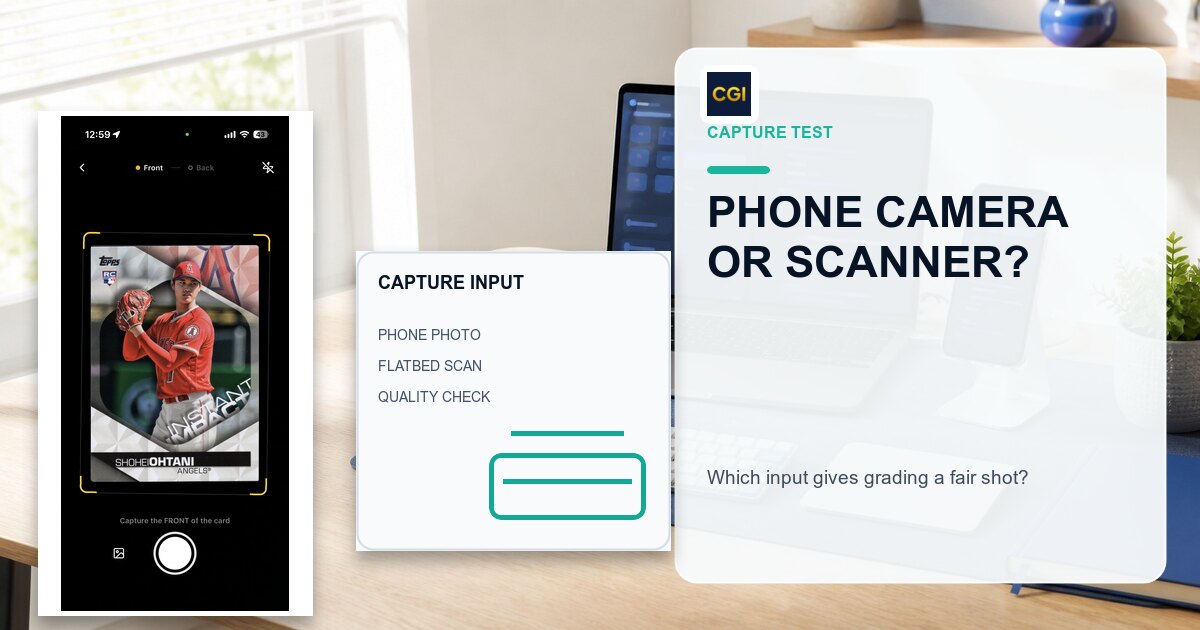
Should you use your iPhone camera or a flatbed scanner for AI card grading? We break down image quality, convenience, accuracy, and when each method makes sense.
Jamie Budesky·Founder, CardGrade·Published Feb 26, 2026 · Updated Aug 7, 2026·10 min read
The Most Common Question We Get
If you are researching AI card grading, you have probably seen conflicting advice. Some sources say phone cameras produce better images. Others recommend dedicated scanners. And when you are about to invest in a grading plan, the last thing you want is to find out you are capturing images the wrong way.
Here is the truth: both methods work with CardGrade.io, and both can produce excellent results. But they have different strengths, and the best choice depends on how many cards you are grading and what your workflow looks like.
This guide breaks down the real differences so you can make an informed decision.
Phone Camera: The Quick and Accessible Option
Your smartphone — whether it is an iPhone 13 or newer, a Samsung Galaxy, or a Google Pixel — has a camera that is more than capable of capturing card images for AI grading. Modern phone cameras shoot at 12MP or higher, which exceeds what the AI needs to analyze centering, corners, edges, and surface condition.
Why phone photos work well
Natural color reproduction. Phone cameras are optimized for accurate colors and white balance. A well-lit photo of a card will look true to life, with accurate foil rendering, holographic effects, and color saturation. Scanners can sometimes wash out or oversaturate colors depending on their calibration.
Handles special surfaces better. Chrome cards, holographic cards, refractors, and other specialty finishes often photograph better with a phone. Scanners use a fixed light bar that moves across the card at close range, which can create harsh reflections or dark bands on reflective surfaces. A phone held at a slight distance with diffused room lighting avoids this issue entirely.
Zero additional hardware. You already own a phone. No scanner purchase, no driver installation, no dedicated desk space required. Open the camera app, take a photo, upload it.
Works anywhere. At a card show, in your car after a garage sale find, at a friend's house looking at their collection — you can get a grade prediction in about 60 seconds wherever you are.
How to take great phone photos for grading
Getting good results from a phone camera comes down to a few basics:
Lighting is everything. Use natural daylight or a bright, even light source. Avoid overhead fluorescent lights that create glare. Two desk lamps on either side of the card at 45-degree angles work well.
Keep it flat and square. Place the card on a plain, dark background (a black mousepad works perfectly). Hold the phone directly above, parallel to the card. Angled shots distort centering measurements.
Fill the frame. Get close enough that the card fills most of the photo, but leave a small border of background visible on all sides. This helps the AI identify the card edges accurately.
Stay steady. Use both hands or prop your phone on a stack of books. Any blur — even slight — reduces the AI's ability to detect fine surface imperfections and corner whitening.
Shoot the back too. For the most accurate grade prediction, upload both front and back images. The back of the card matters for centering, edges, and surface condition.
Phone camera limitations
Consistency varies. Every time you photograph a card, the lighting, distance, and angle are slightly different. If you are grading 5 cards, this probably does not matter. If you are grading 500, small inconsistencies can add up and make it harder to compare results across your inventory.
Slower for volume. Taking a good photo of each card's front and back, then uploading them individually, takes 30 to 60 seconds per card. For a small collection, that is fine. For bulk operations, it becomes a bottleneck.
Shadows and reflections. Even with good technique, you may occasionally get a shadow from your hand, a reflection off the card surface, or uneven lighting. These artifacts can affect the grade prediction — particularly for surface analysis.
Scanner: The Precision Tool for Serious Grading
A dedicated scanner produces images that are geometrically perfect, evenly lit, and reproducible every single time. This is why card shops, grading prep services, and high-volume collectors gravitate toward scanners.
Why scanners excel
Consistent, controlled lighting. A scanner's built-in light bar illuminates the card identically on every single scan. There are no shadows, no ambient light interference, and no variation between images. This consistency is what makes scanners the preferred choice for bulk operations where you need comparable results across hundreds of cards.
Geometric accuracy. When a card sits flat on a scanner bed, the resulting image is perfectly square with zero perspective distortion. This means centering measurements from the AI are as accurate as they can possibly be. Phone photos taken at even a slight angle can introduce perspective skew that throws off centering calculations.
Resolution control. Scanners let you choose your DPI (dots per inch). At 600 DPI, you get roughly 2100 x 1500 pixels for a standard trading card — more than enough for AI grading. At 1200 DPI, you get 4x the pixel density, which means the AI can detect micro-scratches, print dots, and corner whitening that might be invisible in a phone photo.
Repeatability. Scan the same card twice, and you get virtually identical images. This matters when you are tracking card condition over time or want to regrade after making a borderline submission decision.
Scanner recommendations by volume
For occasional use (under 20 cards at a time):
A quality flatbed scanner like the Epson V600 or Epson V39 is the gold standard for image quality. Place cards face-down on the glass, scan at 600 DPI or higher, flip, and scan the backs. The Epson V600 is the most recommended flatbed in the trading card community for good reason — it produces clean, high-resolution scans with accurate colors.
For regular use (20 to 200 cards at a time):
Auto-feed scanners like the Ricoh fi-8170 (formerly sold under the Fujitsu brand) can scan both sides in a single pass using a document feeder. Use a carrier sheet or penny sleeve to protect the cards during feeding. The fi-8170 is the most popular auto-feed scanner in the card hobby and handles raw cards, penny-sleeved cards, and even some top loaders.
For high-volume operations (200+ cards regularly):
If you are running a card shop or grading prep service, the Ricoh fi-8170 paired with the CardGrade API creates a fully automated pipeline: scan, auto-submit, get grades, export to CSV. This is where the scanner advantage really shows — you can process hundreds of cards per hour with minimal manual intervention.
Scanner tips for best results
Clean the glass. Dust and fingerprints on the scanner bed become part of every scan. A microfiber cloth and glass cleaner before each session makes a real difference.
Keep the lid open for flatbeds. This creates a black background that improves edge detection and auto-cropping. Closing the lid can introduce shadows from the lid's foam padding.
Use consistent DPI settings. Pick 600 DPI and stick with it. Changing settings between cards makes your results harder to compare.
Disable auto-brightness and auto-contrast. Use manual settings so the scanner is not making different adjustments for different cards.
Turn off multifeed detection for auto-feed scanners. This feature is designed for paper documents and can cause false jams with trading cards.
Scanner limitations
Upfront cost. A good flatbed scanner runs $80 to $250. An auto-feed scanner capable of handling cards is $300 to $600. If you are grading a handful of cards, the phone you already own is the more economical choice.
Reflective card issues. Chrome cards, holographic finishes, and refractors can produce harsh glare or dark bands under a scanner's close-range light bar. Some scanners handle this better than others, but it is a known challenge. For these special surfaces, a phone photo with diffused lighting often produces a more accurate image.
Not portable. Your scanner lives on a desk. You cannot bring it to a card show, a meetup, or your friend's house to check a card before making a trade.
Driver and software setup. Scanners require driver installation and sometimes companion software configuration. This is usually straightforward, but it is an extra step that phones do not require.
Side-by-Side Comparison
Factor
Phone Camera
Scanner
Image quality
Very good with proper technique
Excellent and consistent
Centering accuracy
Good (slight angle risk)
Excellent (geometrically perfect)
Surface detail
Good at close range
Excellent at 600+ DPI
Color accuracy
Excellent (natural light)
Good (can vary by model)
Chrome/holo cards
Better (diffused lighting)
Can struggle (direct light bar)
Consistency
Varies shot to shot
Identical every time
Speed (per card)
30-60 seconds
15-30 seconds (flatbed), 5-10 seconds (auto-feed)
Bulk capability
Manual only
Auto-feed + API automation possible
Portability
Take it anywhere
Desk only
Cost
Free (you own the phone)
$80-$600 depending on model
Setup required
None
Driver + software installation
What We Actually Recommend
Here is our honest advice based on how many cards you are grading:
Grading under 20 cards
Use your phone. It is faster to set up, produces excellent results, and you do not need to buy anything. Follow the photo tips above (good lighting, flat angle, dark background) and you will get accurate grade predictions.
Grading 20 to 100 cards
Either works well. If you already own a scanner, use it for the consistency advantage. If you do not, your phone is perfectly fine. The accuracy difference between a well-taken phone photo and a 600 DPI scan is minimal for AI grading purposes.
Grading 100+ cards regularly
Get a scanner. The consistency, speed, and automation potential make it worth the investment. A flatbed like the Epson V600 covers most needs. If you are processing cards daily, an auto-feed scanner like the Ricoh fi-8170 paired with the CardGrade API is a game-changer.
Grading chrome, holographic, or specialty cards
Use your phone regardless of volume. These cards simply photograph better with diffused, ambient lighting than under a scanner's direct light bar. Take the photo in natural daylight near a window and you will get the most accurate representation of the card's actual condition.
The Image Quality Myth
There is a persistent belief online that phone cameras inherently capture card images better than scanners, or vice versa. The reality is more nuanced.
What matters for AI grading is not which device captured the image — it is whether the image clearly shows the card's condition. A sharp, well-lit, square photo from a phone is just as usable as a 600 DPI scanner image. A blurry, angled phone photo taken under a yellow lamp is worse than either.
The quality of your technique matters more than the quality of your equipment.
CardGrade.io's AI analyzes centering, corners, edges, and surface condition. It needs to see these features clearly. Both a modern phone camera and a decent scanner can provide that level of clarity. The scanner just does it more consistently and at higher volume.
Getting Started
No matter which method you choose:
Start with your phone. Take a few test photos and upload them to CardGrade.io to see how the process works. Your first 3 grades are free.
Evaluate your volume. If you find yourself grading cards regularly, that is when a scanner investment starts to make sense.
The best image capture method is the one you will actually use consistently. For most collectors, that starts with the phone in your pocket — and for many, that is all you will ever need.
Share
Ready to grade your cards with AI?
Pre-screen your cards before submitting to PSA, BGS, or CGC. Plans from $4.99/mo.
Jamie Budesky is the founder of CardGrade and the engineer behind its AI vision grading pipeline. An Army veteran and IT specialist (DoD, since 2017), he writes about card grading, AI/ML grading technology, and collecting strategy — grounded in CardGrade's own grading data.