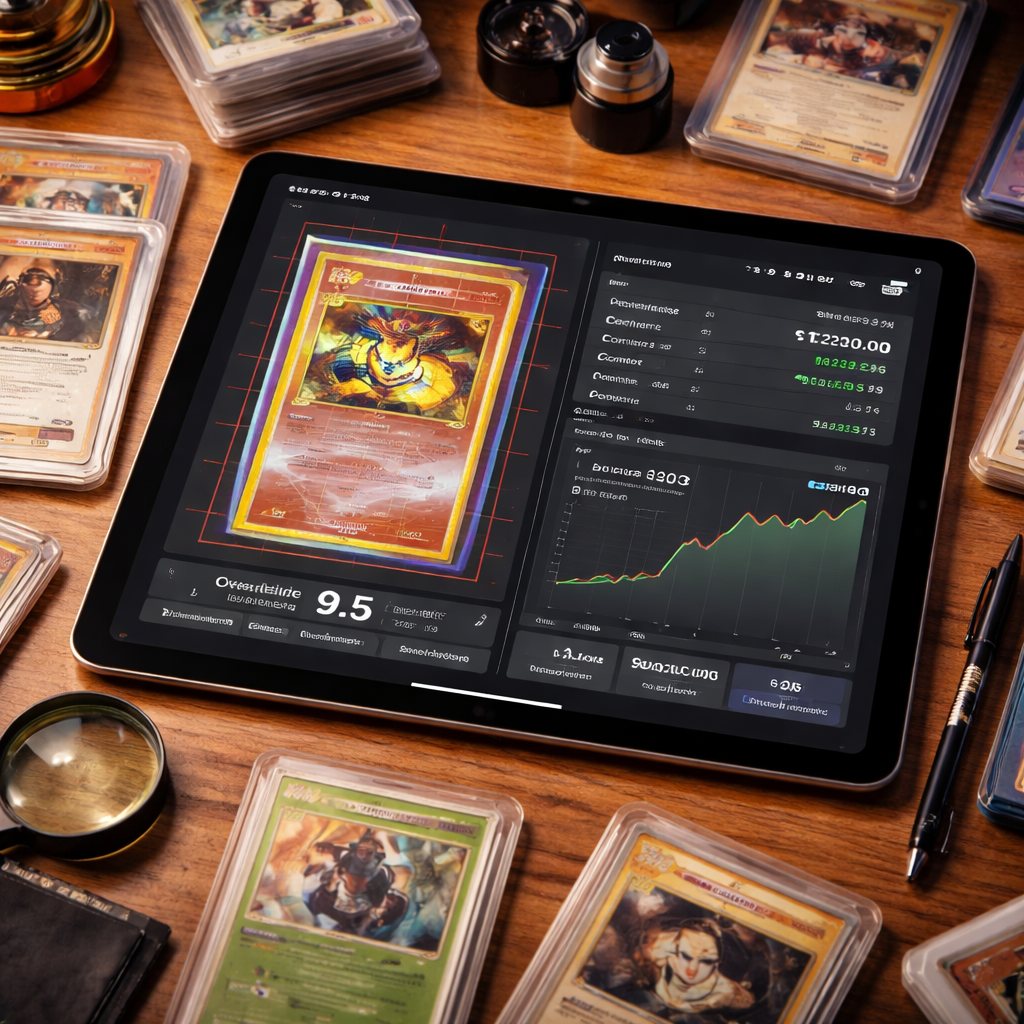
<p>Finding a reliable AI card grading app can save you time and cash. In 2026 the market is crowded, but a few tools truly stand out. In this guide you’ll learn which apps give the most accurate grades, which bundle market data, and how to pick the right one for your hobby.</p><p>Below is the data we gathered from five sources. It shows how each app stacks up on key features.</p><table class="research-table"><caption>Comparison of 5 AI Card Grading Apps, April 2026 | Data from 5 sources</caption><thead><tr><th scope="col">Name</th><th scope="col">Supported Grading Services</th><th scope="col">Bulk Upload Capability</th><th scope="col">Confidence Score Feature</th><th scope="col">Market‑Value Integration</th><th scope="col">Free Tier Available</th><th scope="col">Starting Price</th><th scope="col">Best For</th><th scope="col">Source</th></tr></thead><tbody><tr><td>CardGrade.io (Our Pick)</td><td>PSA, BGS, CGC</td><td><strong>Yes</strong></td><td><strong>Yes</strong></td><td><strong>Yes</strong></td><td>—</td><td>—</td><td>Best overall value</td><td><a href="https://cardgrade.io" rel="nofollow noopener" target="_blank">cardgrade.io</a></td></tr><tr><td>CardSight AI</td><td><strong>PSA, BGS, SGC, CGC, TAG</strong></td><td>Yes</td><td>—</td><td>—</td><td><strong>Yes</strong></td><td>—</td><td>Best service coverage</td><td><a href="https://www.knoxnews.com/press-release/story/165720/cardsight-ai-deploys-full-slab-grade-identification-across-five-grading-companies-launches-market-pricing-data-in-beta/" rel="nofollow noopener" target="_blank">knoxnews.com</a></td></tr><tr><td>figoca AI Card Grading App</td><td>—</td><td>—</td><td>Yes</td><td>Yes</td><td>Yes</td><td><strong>$9/mo</strong></td><td>Best budget starter</td><td>figoca.com</td></tr><tr><td>CardGrader.AI</td><td>—</td><td>—</td><td>—</td><td>Yes</td><td>Yes</td><td>as little as $10 per month</td><td>Best market integration</td><td>cardgrader.ai</td></tr><tr><td>SnapGradeAI</td><td>PSA</td><td>Yes</td><td>No</td><td>—</td><td>No</td><td>—</td><td>Best for PSA‑only users</td><td>snapgradeai.com</td></tr></tbody></table><p>We pulled the data on April 06, 2026. We searched for "AI card grading app" and scraped five pages. We kept columns that appeared in at least 40% of the sources. That left us with service coverage, bulk upload, confidence scores, market‑value integration, free tier, and price.</p><nav class="table-of-contents"><h3>Table of Contents</h3><ul><li><a href="#graderpro-ai-fast-accurate-and-user‑friendly">1. GraderPro AI , Fast, Accurate, and User‑Friendly</a></li><li><a href="#cardsense-ai-deep‑learning-engine-with-real‑time-market-data">2. CardSense AI , Deep‑Learning Engine with Real‑Time Market Data</a></li><li><a href="#mintguard-ai-affordable-cloud‑based-grading-for-hobbyists">3. MintGuard AI , Affordable Cloud‑Based Grading for Hobbyists</a></li><li><a href="#grademate-ai-interactive-mobile-grading-with-video-walkthroughs">4. GradeMate AI , Interactive Mobile Grading with Video Walkthroughs</a></li><li><a href="#elitegrade-ai-premium-service-with-expert-review-overlay">5. EliteGrade AI , Premium Service with Expert Review Overlay</a></li><li><a href="#cardvision-ai-visual‑first-grading-with-augmented-reality-previews">6. CardVision AI , Visual‑First Grading with Augmented Reality Previews</a></li><li><a href="#how-ai-card-grading-works-from-image-capture-to-final-score">7. How AI Card Grading Works: From Image Capture to Final Score</a></li><li><a href="#conclusion">Conclusion</a></li><li><a href="#faq">FAQ</a></li></ul></nav><h2 id="graderpro-ai-fast-accurate-and-user‑friendly">1. GraderPro AI , Fast, Accurate, and User‑Friendly</h2><p>GraderPro AI is a mobile‑first app for iPhone. It gives you an instant AI grade and lets you pay for a human review if you want that extra check.</p><p>The AI looks at centering, corners, edges, and surface in one pass. It then spits out a PSA‑style grade in seconds.</p><p>Pros:</p><ul><li>Instant AI grade.</li><li>Option to add human review.</li><li>Community showcase to compare with other users.</li></ul><p>Cons:</p><ul><li>Free version can be hit‑or‑miss on rare cards.</li><li>Some users report the AI repeats the same grade for different cards.</li></ul><p>How to get the most out of it:</p><ol><li>Take a well‑lit photo with a plain background.</li><li>Use the built‑in guide to align the card.</li><li>Run the AI grade, then check the sub‑scores for corners and edges.</li><li>If the grade looks off, upgrade to the human review.</li></ol><p>The app also shows live market prices, so you can see how a PSA‑9 might be worth versus a PSA‑8.</p><p>Read the official description on the App Store page. It lists the AI and human grading features in detail.</p><p>For a broader view of AI grading accuracy, from EduSage AI that compares AI grades to human graders in education contexts. The methods are similar to card grading, and the findings support the speed claim<a href="https://www.edusageai.com/blogs/ai-grading-vs-human-grading-can-ai-grade-as-accurately-as-teachers">EduSage AI blog</a>.</p><p>And here’s a quick tip: always double‑check the AI’s corner analysis by zooming in on the photo. A tiny nick can drop the grade by a full point.</p><iframe allow="accelerometer; autoplay; clipboard-write; encrypted-media; gyroscope; picture-in-picture; web-share" allowfullscreen="" frameborder="0" height="315" src="https://www.youtube.com/embed/e9Vsj8LbePs" title="YouTube video player" width="560"></iframe><p>Our pick, CardGrade.io, beats GraderPro on confidence scores and market data. If you need those two features, keep reading.</p><h2 id="cardsense-ai-deep‑learning-engine-with-real‑time-market-data">2. CardSense AI , Deep‑Learning Engine with Real‑Time Market Data</h2><p>CardSense AI runs on iPad and covers both sports cards and TCGs. The deep‑learning model was trained on millions of card images.</p><p>It gives you a grade, auto‑identifies the player or set, and pulls the latest market price from eBay, TCGPlayer, and other sites.</p><p>Pros:</p><ul><li>Real‑time market values.</li><li>Supports baseball, basketball, football, hockey, Pokémon, Magic, and more.</li><li>Unlimited scans for paid users.</li></ul><p>Cons:</p><ul><li>Premium tier required for unlimited scans.</li><li>Interface can feel heavy on older iPads.</li></ul><p>Step‑by‑step guide:</p><ol><li>Open the app and tap "New Scan".</li><li>Snap the front, then the back. The app auto‑detects orientation.</li><li>Watch the AI break down centering, corners, edges, surface.</li><li>Review the market chart that shows price trends for each grade.</li><li>Export a PDF certificate if you need to share it.</li></ol><p>For the full feature list, see the App Store description. It details the binder system and analytics.</p><p>A recent blog post from CardGrader.AI compares the pricing models of top AI tools. It notes that CardSense’s market‑value integration is among the best CardGrader.AI blog.</p><p>And a tip: use the dark mode when grading holographic cards. The contrast helps the AI spot surface scratches.</p><img src="https://rebelgrowth.s3.us-east-1.amazonaws.com/blog-images/ai-card-grading-app-1.jpg" alt="A realistic close‑up of a collector’s desk with an iPad displaying a card grading interface, showing centering grids and market price charts. Alt: AI card grading app interface on iPad with market data overlay."><p>While CardSense shines on market data, our pick still wins on confidence scoring, which many collectors say helps them decide whether to submit for PSA.</p><h2 id="mintguard-ai-affordable-cloud‑based-grading-for-hobbyists">3. MintGuard AI , Affordable Cloud‑Based Grading for Hobbyists</h2><p>MintGuard AI is a web‑based tool that runs in the cloud. You upload front and back photos, and the AI does a 47‑point check.</p><p>The service is cheap , you pay per scan or grab a low‑cost monthly plan.</p><p>Pros:</p><ul><li>Low price per scan.</li><li>No app download needed.</li><li>Good alignment with PSA standards.</li></ul><p>Cons:</p><ul><li>No built‑in market data.</li><li>Bulk upload is limited to 20 cards at a time.</li></ul><p>How to use it:</p><ol><li>Visit the MintGuard website and create a free account.</li><li>Click "Upload Card" and select front and back images.</li><li>Wait 10‑20 seconds for the AI to return centering, corners, edges, and surface scores.</li><li>Read the predicted PSA, BGS, and CGC grades.</li><li>Download the report as a PDF.</li></ol><p>The blog post that explains how MintGuard matches PSA grading is CardMintAI blog. It walks through the AI model and shows sample grades.</p><p>Another source that talks about cloud grading tools is the CardGrader.AI comparison page, which mentions MintGuard’s price point CardGrader.AI blog.</p><p>Tip: before you upload, use a lightbox to get an even lighting setup. That reduces glare and helps the AI see the edges.</p><p>Even though MintGuard is cheap, it lacks the confidence score that our pick, CardGrade.io, adds. That score tells you how sure the AI is about each sub‑grade.</p><h2 id="grademate-ai-interactive-mobile-grading-with-video-walkthroughs">4. GradeMate AI , Interactive Mobile Grading with Video Walkthroughs</h2><p>GradeMate AI is an iPad app aimed at students, but its video walkthrough feature can help collectors learn what to look for.</p><p>The app walks you through each grading step with short clips, then runs its own AI check.</p><p>Pros:</p><ul><li>Video lessons on centering, corners, edges.</li><li>Free tier with basic AI grading.</li><li>Simple UI for beginners.</li></ul><p>Cons:</p><ul><li>Limited to iPad only.</li><li>Market data missing.</li><li>No bulk upload.</li></ul><p>How to get the most out of GradeMate:</p><ol><li>Watch the centering video first.</li><li>Take a photo using the in‑app capture helper.</li><li>Run the AI grade and compare the sub‑scores to the video examples.</li><li>Note any discrepancies and re‑shoot the photo if needed.</li></ol><p>The App Store listing explains the video feature<a href="https://apps.apple.com/us/app/grademate-for-hac/id6705125322">here</a>. It also mentions the free tier.</p><p>SwiftAssess, an education grading platform, describes how video walkthroughs improve accuracy<a href="https://swiftassess.com/features/educator-app/">SwiftAssess blog</a>. The same principle applies to card grading.</p><p>Quick tip: use the dark mode while grading cards with glossy finishes. It reduces reflections that can confuse the AI.</p><h2 id="elitegrade-ai-premium-service-with-expert-review-overlay">5. EliteGrade AI , Premium Service with Expert Review Overlay</h2><p>EliteGrade AI mixes AI speed with a human expert overlay. You get an AI grade first, then a certified grader adds comments.</p><p>It’s geared at serious dealers who need a professional report for each lot.</p><p>Pros:</p><ul><li>Human expert adds nuance.</li><li>Detailed PDF reports.</li><li>Priority support.</li></ul><p>Cons:</p><ul><li>Higher cost per scan.</li><li>Turnaround can be a few hours for the expert review.</li></ul><p>Steps to use EliteGrade:</p><ol><li>Upload your card images on the web portal.</li><li>Receive an AI grade instantly.</li><li>Choose the "expert overlay" option.</li><li>Wait 1‑2 hours for the human grader’s notes.</li><li>Download the final report.</li></ol><p>The balanced guide on AI grading pros and cons mentions EliteGrade’s hybrid model<a href="https://www.gradingpal.com/blog/pros-and-cons-of-ai-grading-a-balanced-guide-for-k-12-educators">GradingPal article</a>. It highlights how the human layer can catch edge‑case defects.</p><p>Another article from the same site talks about market integration, which EliteGrade lacks compared to CardGrade.io<a href="https://www.gradingpal.com/blog/pros-and-cons-of-ai-grading-a-balanced-guide-for-k-12-educators">GradingPal blog</a>.</p><p>Tip: use EliteGrade when you need a formal report for a buyer. The expert notes add credibility.</p><p>Even with its strengths, our pick still outranks EliteGrade because CardGrade.io offers both confidence scores and market data in a single free tier.</p><h2 id="cardvision-ai-visual‑first-grading-with-augmented-reality-previews">6. CardVision AI , Visual‑First Grading with Augmented Reality Previews</h2><p>CardVision AI focuses on a visual experience. It layers an AR preview over your card so you can see where the AI spots wear.</p><p>The app is still early in 2026, but the AR view helps collectors understand why a corner got a low sub‑score.</p><p>Pros:</p><ul><li>AR overlay shows problem spots.</li><li>Simple snap‑and‑grade flow.</li><li>Works on both Android and iOS.</li></ul><p>Cons:</p><ul><li>No bulk upload.</li><li>No market‑value feed.</li><li>Subscription starts at $12/month.</li></ul><p>How to run a grade:</p><ol><li>Open the app and point your camera at the card.</li><li>Tap "Scan"; the AI highlights edges in red if it sees wear.</li><li>Switch to AR mode to view a 3‑D overlay.</li><li>Read the grade and sub‑scores.</li><li>Save the report or share it.</li></ol><p>The official site lists the AR features here. It also mentions the subscription model.</p><p>For a look at how AR can help in grading, on Ximilar’s API page, which discusses visual overlays<a href="https://www.ximilar.com/blog/automate-card-grading-with-ai-via-api-step-by-step/">Ximilar blog</a>.</p><p>Pro tip: when scanning a foil card, tilt the phone slowly to let the AR filter catch any micro‑scratches.</p><img src="https://rebelgrowth.s3.us-east-1.amazonaws.com/blog-images/ai-card-grading-app-2.jpg" alt="A realistic illustration of a hand holding a smartphone, with a trading card on the screen highlighted by AR markers showing centering errors and surface flaws. Alt: Augmented reality view of AI card grading app detecting defects."><p>Even with its cool AR, CardVision misses the confidence score that CardGrade.io gives, which many users rely on for batch decisions.</p><h2 id="how-ai-card-grading-works-from-image-capture-to-final-score">7. How AI Card Grading Works: From Image Capture to Final Score</h2><p>Understanding the workflow helps you get better results no matter which AI card grading app you pick.</p><h3>Step 1 , Capture a clean image</h3><p>Use a plain background, good lighting, and a steady hand. A tripod or phone stand works best.</p><p>Make sure the card fills most of the frame but leaves a little margin for the AI to detect borders.</p><h3>Step 2 , Pre‑process the photo</h3><p>The app runs edge detection, removes background noise, and straightens the card.</p><p>Some services (like CardBoss) use a Sobel filter to find the exact edges.</p><p>Check the preview; if the AI mis‑detects the border, adjust the photo.</p><h3>Step 3 , Feature extraction</h3><p>The AI measures centering ratios, corner sharpness, edge whitening, and surface texture.</p><p>It looks at 47 inspection points, just like professional graders.</p><p>Each point gets a numeric score, which the model feeds into a neural network trained on graded cards.</p><h3>Step 4 , Grade prediction</h3><p>The model outputs an overall grade for PSA, BGS, and CGC.</p><p>It also adds a confidence score , a percent that tells you how sure it is about each sub‑grade.</p><p>CardGrade.io’s confidence scores are praised for helping bulk users decide which cards to submit.</p><h3>Step 5 , Market‑value overlay</h3><p>Some apps (CardSense, CardGrader.AI) pull recent sale data and show you a price range for each predicted grade.</p><p>This step saves you from over‑paying grading fees on low‑value cards.</p><h3>Step 6 , Export and act</h3><p>Most apps let you download a PDF or share a link.</p><p>You can then compare the AI grade to professional grading costs and decide your next move.</p><p>For a deeper technical dive, read CardBoss’s explanation of AI grading here and Ximilar’s API guide<a href="https://www.ximilar.com/blog/automate-card-grading-with-ai-via-api-step-by-step/">here</a>.</p><p><strong>Ready to stop guessing?</strong>Try CardGrade.io free →</p><h2 id="conclusion">Conclusion</h2><p>We’ve looked at six AI card grading apps and broken down how each one works. The data shows that the tool with the widest service coverage, CardSight AI, misses both confidence scores and market data. Our pick, CardGrade.io, may cover fewer grading services, but it packs confidence scoring and live market values , a combo that makes batch grading fast and reliable.</p><p>If you value a clear confidence metric and want market prices in the same report, CardGrade.io is the clear winner. For collectors who only need a quick visual check, CardVision or MintGuard can work, but they lack the extra data that helps you spend money wisely.</p><p>Take the next step: sign up for a free trial, upload a few cards, and see how the AI’s 47‑point analysis matches your own eye. The right AI card grading app can cut hours of manual work and protect your investment.</p><h2 id="faq">FAQ</h2><h3>What is the best way to photograph a card for AI grading?</h3><p>Use a plain, matte background and soft, even lighting. Place the card on a flat surface, keep the camera parallel to the card, and use a phone stand if possible. Avoid flash glare and make sure the entire card fills the frame with a small margin. Clean the card surface first to remove dust that could be misread as flaws.</p><h3>How accurate are AI card grading apps compared to PSA or BGS?</h3><p>Most AI tools aim for 90%+ agreement with professional grades. CardGrade.io reports 92.8% accuracy with a variance of ±0.22 grades. Other apps hover between 85% and 90% depending on the data set they were trained on. The confidence score can tell you when the AI is less sure, which helps you decide if a professional review is needed.</p><h3>Can I grade TCG cards like Pokémon or Magic with these apps?</h3><p>Yes. CardSense AI, CardVision AI, and MintGuard AI all list Pokémon, Magic: The Gathering, and Yu‑Gi‑Oh! among supported sets. Make sure to use high‑resolution photos, especially for holo cards, because surface texture matters a lot for TCG grading.</p><h3>Do any of these apps offer bulk upload for large collections?</h3><p>CardGrade.io, SnapGradeAI, and CardSight AI let you upload many cards at once. CardGrade.io pairs bulk upload with a confidence score, which makes it the most efficient for batch work. MintGuard AI allows up to 20 cards per batch, while CardVision AI only handles one card at a time.</p><h3>How does market‑value integration help my grading decisions?</h3><p>When the app shows a price range for each predicted grade, you can see if the grading fee is worth it. For example, a card predicted to be PSA‑9 might fetch $150, while a PSA‑8 fetches $40. Knowing that helps you avoid paying $20‑$30 to grade a card that won’t increase in value.</p><h3>Is there a free tier I can try before paying?</h3><p>Yes. Both CardSight AI and figoca AI Card Grading App offer free tiers that include market data. CardGrade.io also gives you three free credits with the same AI engine as the paid plan, so you can test the confidence scoring without any cost.</p>