Pre-Screen Your Cards Before Submitting to PSA or BGS | CardGrade
Tips & Tricks
Pre-Screen Your Cards Before Submitting to PSA or BGS
Save hundreds on grading fees by AI pre-screening your cards before submitting to PSA, BGS, or CGC. Learn the smart submission strategy.
Jamie Budesky·Founder, CardGrade·Published Feb 21, 2026 · Updated Aug 7, 2026·10 min read
The Costly Mistake Most Collectors Make
Every year, collectors spend millions of dollars submitting cards to professional grading companies that come back with disappointing grades. A card you were certain was a PSA 10 returns as a PSA 8. The $20 to $50 grading fee, plus shipping and insurance, was essentially wasted on a card whose graded value barely exceeds its raw value.
This is not a rare occurrence. Industry data suggests that only 10-20% of cards submitted to PSA receive the coveted Gem Mint 10 grade. That means the majority of submissions come back at PSA 9 or lower — and for many of those cards, the grading cost was not justified by the value increase.
The solution is simple: pre-screen your cards before you submit them. And the fastest, most affordable way to do that is with AI grading technology.
What Is Pre-Screening?
Pre-screening means evaluating your cards' condition before committing to professional grading. The goal is to identify which cards are strong candidates for high grades and which ones will likely disappoint — so you only pay to grade the cards that deserve it.
Traditionally, pre-screening meant:
Examining cards under a loupe or magnifying glass
Checking centering with a centering tool or by eye
Looking for corner whitening, edge chipping, and surface scratches
Making a judgment call based on experience
This works, but it is slow, subjective, and limited by your own experience level. A collector with 20 years of experience will pre-screen more accurately than someone who started last year.
AI pre-screening levels the playing field. By uploading a photo to CardGrade.io, you get an objective, data-driven assessment in seconds that predicts how PSA, BGS, and CGC would grade the card. No experience required.
The Math: Why Pre-Screening Saves You Money
Let us walk through a realistic scenario to see the financial impact of pre-screening.
Our State of Card Grading 2026 study analyzed thousands of cards and found that most cards grade below the PSA 8 threshold -- the breakeven point where grading fees exceed the value a slab adds. The study also revealed a striking selection bias gap: industry trackers report a ~43% PSA 10 gem rate among submitted cards, but this reflects the fact that experienced collectors already pre-screen aggressively before submitting. When AI evaluates all cards without pre-selection, the picture changes dramatically. This is precisely why pre-screening works -- it bridges the gap between what the average collection actually contains and the elite subset that is worth sending to a grading company. Every card you filter out below the breakeven threshold is money saved.
Scenario: 50 Cards Without Pre-Screening
You have 50 cards you believe are in excellent condition. You submit all 50 to PSA at the Value tier ($20/card).
Item
Cost
Grading fees (50 x $20)
$1,000
Shipping to PSA (insured)
$35
Return shipping
$30
Supplies (card savers, packaging)
$20
Total
$1,085
Typical results:
8 cards receive PSA 10 (16%)
18 cards receive PSA 9 (36%)
15 cards receive PSA 8 (30%)
9 cards receive PSA 7 or lower (18%)
For many of those PSA 7 and 8 cards, the graded value does not justify the $20+ investment per card. You essentially wasted $480+ grading 24 cards that did not benefit from the process.
Scenario: 50 Cards With AI Pre-Screening
You run all 50 cards through CardGrade.io first. The AI identifies:
12 cards as strong PSA 10 candidates
15 cards as likely PSA 9
23 cards as PSA 8 or lower
You set your threshold at PSA 9+ and submit only the top 27 cards.
Item
Cost
AI pre-screening
Free (first 3) + minimal plan cost
Grading fees (27 x $20)
$540
Shipping to PSA (insured)
$25
Return shipping
$22
Supplies
$12
Total
~$600
Expected results:
7-8 cards receive PSA 10
14-15 cards receive PSA 9
4-5 cards receive PSA 8 (borderline cards the AI was uncertain about)
You get roughly the same number of PSA 10s and 9s, but you spent $485 less. The 23 cards you held back would have cost you $460 in grading fees alone for grades that would not increase their value.
Annual Savings
If you submit cards regularly — say four batches of 50 per year — pre-screening saves you approximately $1,940 annually. For high-volume submitters, the savings are even more significant.
How to Pre-Screen Your Cards with CardGrade.io
The pre-screening process is straightforward and takes less than a minute per card.
Step 1: Photograph Your Cards
Take clear, well-lit photos of each card. For best results:
Use natural daylight or a diffused artificial light
Place the card on a dark, non-reflective surface
Position your camera directly above the card
Ensure the entire card is visible and in focus
Avoid glare and shadows
Photograph both front and back
You do not need professional photography equipment. A modern smartphone camera produces more than sufficient image quality.
Step 2: Upload to CardGrade.io
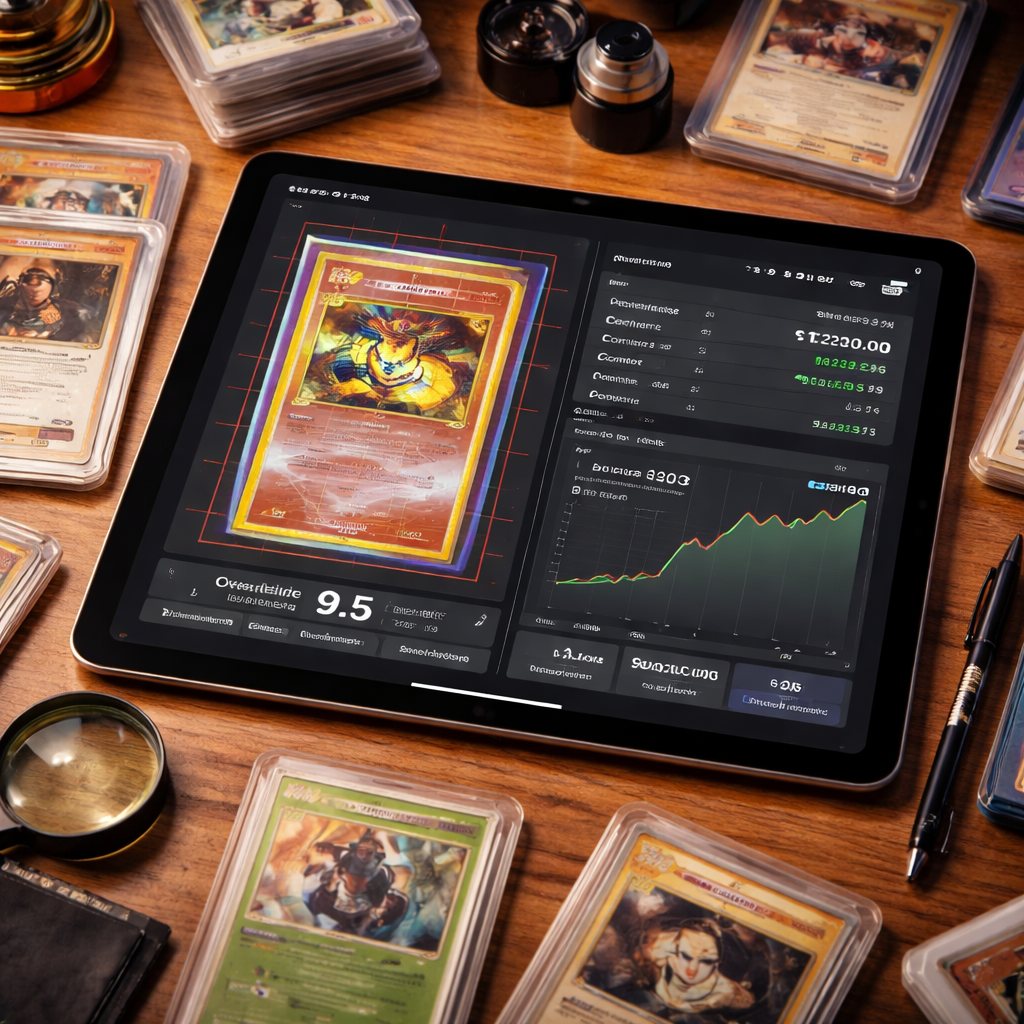
Sign up for your free account and upload your card images. CardGrade.io's CGI Vision AI analyzes each card across 16 inspection zones, including centering, corners, edges, and surface quality.
Step 3: Review Your Predicted Grades
In 60 seconds, you will receive:
Overall predicted grades on PSA, BGS, and CGC scales
Sub-grades for centering, corners, edges, and surface
Decide your minimum acceptable grade. Common thresholds:
PSA 10 only: Only submit cards predicted at PSA 10 with high confidence. Highest savings, but you will miss some cards that would have received a 10.
PSA 9+: Submit cards predicted at 9 or 10. Good balance of savings and hit rate.
PSA 8+: More permissive threshold. Useful for cards where even a PSA 8 significantly increases value.
Your threshold should consider the specific card. A rare vintage card might be worth grading even at PSA 7, while a common modern card only makes sense at PSA 10.
Step 5: Submit Your Best Cards
Package and ship only the cards that passed your pre-screening threshold. You can read our detailed guides on submitting to PSA, BGS, or CGC for company-specific submission instructions.
Pre-Screening Strategies by Card Type
Different types of cards benefit from different pre-screening approaches.
Modern Sports Cards
Modern sports cards (2015-present) are ideal for AI pre-screening. Standardized printing makes them highly predictable, and the PSA 10 premium is well-established for most players.
Strategy: Set a strict PSA 10 threshold. Modern sports cards are typically only worth grading if they are likely 10s, because the PSA 9 market is often only marginally better than raw.
Pokemon Cards
Pokemon cards, especially modern sets, are popular grading candidates. The PSA 10 premium on chase cards (alt arts, full arts, secret rares) is significant.
Strategy: Pre-screen all chase cards and set a PSA 9+ threshold. For ultra-rare cards with high raw value, even a PSA 9 slab adds meaningful value and market liquidity.
Vintage Cards (Pre-1980)
Vintage cards are often worth grading at lower grades because of their rarity and collector demand. A PSA 5 vintage card can still command a significant premium over raw.
Strategy: Lower your threshold to PSA 6+ or even PSA 4+ for genuinely scarce vintage cards. Use AI pre-screening primarily to avoid submitting cards that will grade PSA 2 or lower, where the grading cost exceeds the value added.
Modern Card Game Cards (MTG, Yu-Gi-Oh)
Magic: The Gathering and Yu-Gi-Oh cards have their own grading dynamics. MTG cards, in particular, are notoriously difficult to find in true PSA 10 condition due to factory cutting quality.
Strategy: Check centering carefully with the centering tool, as MTG cards frequently have centering issues. Set a PSA 9+ threshold for most cards.
Common Pre-Screening Mistakes
Mistake 1: Only Checking Centering
Centering is the easiest attribute to evaluate visually, so many collectors stop there. But a perfectly centered card can still grade poorly due to corner wear, edge chipping, or surface defects. AI pre-screening evaluates all four categories simultaneously. For details on all the attributes that matter, read how AI detects card issues.
Mistake 2: Using Low-Quality Photos
The AI is only as good as the image you provide. Blurry, poorly lit, or glare-heavy photos produce less reliable predictions. Spend 30 extra seconds on photo quality — it directly improves your pre-screening accuracy.
Mistake 3: Ignoring Sub-Grades
Do not just look at the overall predicted grade. Review the sub-grades for centering, corners, edges, and surface. A card predicted at PSA 9 with a weak corner sub-grade is riskier than a card predicted at PSA 9 with all strong sub-grades.
Mistake 4: Pre-Screening But Not Acting on Results
Some collectors pre-screen their cards and then submit everything anyway because they are emotionally attached to the idea that their cards are perfect. Trust the data. If the AI says a card is a PSA 8, submitting it hoping for a PSA 10 is throwing money away.
Mistake 5: Not Accounting for Photo vs Physical Differences
Remember that AI works from photos. If you can see a defect under tilted lighting that might not show in the photo, factor that into your decision. The AI grade is one data point — combine it with your own physical inspection for the best results.
Choosing the Right Grading Company
Pre-screening does not just tell you whether to grade — it can also tell you where to grade. Because CardGrade.io predicts grades on PSA, BGS, and CGC scales simultaneously, you can compare how the same card would score at each company and choose strategically.
For example:
A card with slightly off centering might score higher at PSA (60/40 tolerance for a 10) than at BGS (tighter centering requirements)
A card with strong sub-grades across the board might benefit from BGS's sub-grade display, which shows buyers exactly what they are getting
CGC might be the right choice for cards where faster turnaround and lower costs are priorities
Beyond full AI grading, CardGrade.io offers free individual tools that you can use for targeted pre-screening:
Centering Tool
The centering tool measures your card's exact centering ratio. Use this first — if centering fails, there is no need to evaluate other attributes. Check our centering guide for everything you need to know about centering standards.
Edge Analysis Tool
The edge tool evaluates edge condition along all four sides. This is particularly useful for cards where you suspect edge issues but want confirmation.
Surface Analysis Tool
The surface tool scans for scratches, print defects, and other surface imperfections. Surface defects are the hardest to detect by eye, making this tool especially valuable.
Start Grading
Stop wasting money on cards that will not grade well. Sign up for CardGrade.io and get plan credits to pre-screen your cards before your next PSA or BGS submission.
The average collector saves $200-$500 per submission by pre-screening with AI. Over a year of submissions, that savings can fund an entirely new hobby purchase.
Jamie Budesky is the founder of CardGrade and the engineer behind its AI vision grading pipeline. An Army veteran and IT specialist (DoD, since 2017), he writes about card grading, AI/ML grading technology, and collecting strategy — grounded in CardGrade's own grading data.